Clothing Bazaar
Bridging Clothing Manufacturers and Retailers, Seamlessly


RESPONSIBILITY
-
UI Design
-
Branding & Aesthetics
OVERVIEW
The app was designed as a digital bridge between clothing manufacturers and retailers, facilitating seamless collaboration and communication. The objective was to simplify inventory, ordering, and business relationships for a traditionally tech-averse audience, ensuring ease of adoption and intuitive use.
DESIGN PLANNING
Understanding the User’s Needs:
Conducted user research with manufacturers and retailers to identify pain points, emphasizing their preference for a simplified workflow over complex features.
Created Intuitive Navigation:
Designed the app with a guided approach, ensuring key actions like order placements and inventory management were prominent and easy to access.
Empowering Non-Tech-Savvy Users:
Incorporated visual cues and step-by-step processes, ensuring clarity and ease of use for a less tech-savvy audience.
PROJECT STATUS
Pushed into Development:
The designs are now pushed into development, aiming to provide platform for clothing manufactures to get started.
WHAT IT OFFERS?
Product Features

FEATURE 1
Navigation & Product Discovery
WHAT IT SERVES?
Home Page:
Designed for non-tech-savvy users to explore products & categories effortlessly. Prominent buttons & Banners guide users to essential sections like popular categories, offers & orders.
Expanded Side Menu:
Presents account details, settings, and frequently accessed sections at a glance. Tailored for seamless transitions between the menu and main content.
Product Category:
Categories are visually distinct and arranged for easy navigation. This allows users to select and explore with engaging transitions.

FEATURE 2
Shopping & Seller Interaction
WHAT IT SERVES?
Product Listing & Filtering:
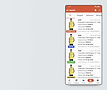
Users can browse through a comprehensive list of products, enhanced with filters tailored for attributes like price, quantity and availability. Filtering options are prominently placed and easy to use, ensuring quick decision-making.
Product Details Page:
Each product page features high-quality images, details descriptions, and pricing breakdowns. Simplified actions like adding items to the truck or proceeding with inquires directly.
Seller Profile:
Showcases seller details, ratings, and transaction history to instill confidence in buyers. This includes contact options for seamless negotiations or clarifications.

FEATURE 3
Order Placement
WHAT IT SERVES?
My Truck:
With a user-centered approach, I focused on creating a cart interface that is not only visually appealing but also functionally robust. Key elements include a clear layout for item details, real-time updates for quantity adjustments, and a predictive feature that anticipates user needs, enhancing convenience at every step.
Checkout:
The checkout journey is optimized to reduce friction and build trust. Special attention was given to error prevention and recovery, ensuring a hassle-free experience even in cases of user missteps.
FEATURE 4
Order Management
WHAT IT SERVES?
Orders:
Designed with clarity and functionality in mind, it provides a comprehensive overview, including order status, payment confirmation, delivery details, and action shortcuts. The intuitive layout ensures users can navigate and act on their orders without confusion.
Return | Refund:
Users can initiate a return/refund directly from their order details, selecting the specific item, reason or refund for return, and preferred return method. The system provides real-time guidance, ensuring users feel confident throughout the process.
Cancel Order:
Whether due to a change of mind or other reasons, users can cancel their orders instantly through a self-guided interface, which confirms the cancellation and provides immediate feedback on refund eligibility.


Clothing Bazaar
Bridging Manufacturers and Retailers in Fashion, Seamlessly


RESPONSIBILITY
-
UI Design
-
Branding & Aesthetics
OVERVIEW
The app was designed as a digital bridge between clothing manufacturers and retailers, facilitating seamless collaboration and communication. The objective was to simplify inventory, ordering, and business relationships for a traditionally tech-averse audience, ensuring ease of adoption and intuitive use.
DESIGN PLANNING
Understanding the User’s Needs:
Conducted user research with manufacturers and retailers to identify pain points, emphasizing their preference for a simplified workflow over complex features.
Created Intuitive Navigation:
Designed the app with a guided approach, ensuring key actions like order placements and inventory management were prominent and easy to access.
Empowering Non-Tech-Savvy Users:
Incorporated visual cues and step-by-step processes, ensuring clarity and ease of use for a less tech-savvy audience.
PROJECT STATUS
Pushed into Development:
The designs are now pushed into development, aiming to provide platform for clothing manufactures to get started.
Product Features
FEATURE 1
Navigation & Product Discovery
WHAT IS SERVE?
Home Page:
Designed for non-tech-savvy users to explore products & categories effortlessly. Prominent buttons & Banners guide users to essential sections like popular categories, offers & orders.
Expanded Side Menu:
Presents account details, settings, and frequently accessed sections at a glance. Tailored for seamless transitions between the menu and main content.
Product Category:
Categories are visually distinct and arranged for easy navigation. This allows users to select and explore with engaging transitions.
FEATURE 2
Shopping & Seller Interaction
WHAT IS SERVE?
Product Listing & Filtering:
Users can browse through a comprehensive list of products, enhanced with filters tailored for attributes like price, quantity and availability. Filtering options are prominently placed and easy to use, ensuring quick decision-making.
Product Details Page:
Each product page features high-quality images, details descriptions, and pricing breakdowns. Simplified actions like adding items to the truck or proceeding with inquires directly.
Seller Profile:
Showcases seller details, ratings, and transaction history to instill confidence in buyers. This includes contact options for seamless negotiations or clarifications.
FEATURE 3
Order Placement
WHAT IS SERVE?
My Truck:
With a user-centered approach, I focused on creating a cart interface that is not only visually appealing but also functionally robust. Key elements include a clear layout for item details, real-time updates for quantity adjustments, and a predictive feature that anticipates user needs, enhancing convenience at every step.
Checkout:
The checkout journey is optimized to reduce friction and build trust. Special attention was given to error prevention and recovery, ensuring a hassle-free experience even in cases of user missteps.
FEATURE 4
Order Management
WHAT IS SERVE?
Orders:
Designed with clarity and functionality in mind, it provides a comprehensive overview, including order status, payment confirmation, delivery details, and action shortcuts. The intuitive layout ensures users can navigate and act on their orders without confusion.
Return | Refund:
Users can initiate a return/refund directly from their order details, selecting the specific item, reason or refund for return, and preferred return method. The system provides real-time guidance, ensuring users feel confident throughout the process.
Cancel Order:
Whether due to a change of mind or other reasons, users can cancel their orders instantly through a self-guided interface, which confirms the cancellation and provides immediate feedback on refund eligibility.